After the Click
Follow a shopper from your ad to your checkout.
Toniqe walks your page on a phone and a desktop, through add to cart to checkout, and marks the step where the ad's promise breaks.
Free for 7 days or 5 reports.
No card or ad account needed.
Traffic, add-to-carts, and still no orders.
Your analytics show where people leave. They don't show what those people saw: a pop-up over the buy button, a shipping cost that appears only at checkout, a cart that dropped the discount from the ad.
It takes the path a buyer takes after your ad. Twice: on a phone and on a desktop.
The landing page, the product, add to cart, the cart and the checkout, step by step. The walk ends at the checkout page; nothing is bought.
- 01
It clicks what a buyer would click.
One step at a time, from the page your ad opens to the checkout.
- 02
It deals with pop-ups the way a buyer would.
And notes the ones that interrupt the page or sit over the buy button.
- 03
It checks the ad's promise at every step.
Is the offer, price or discount from the ad still there?
- 04
It marks every phone step Clean, Leak or Break.
And names the step where the buyer is lost. The desktop walk sits beside it to compare.
What you see in the report.
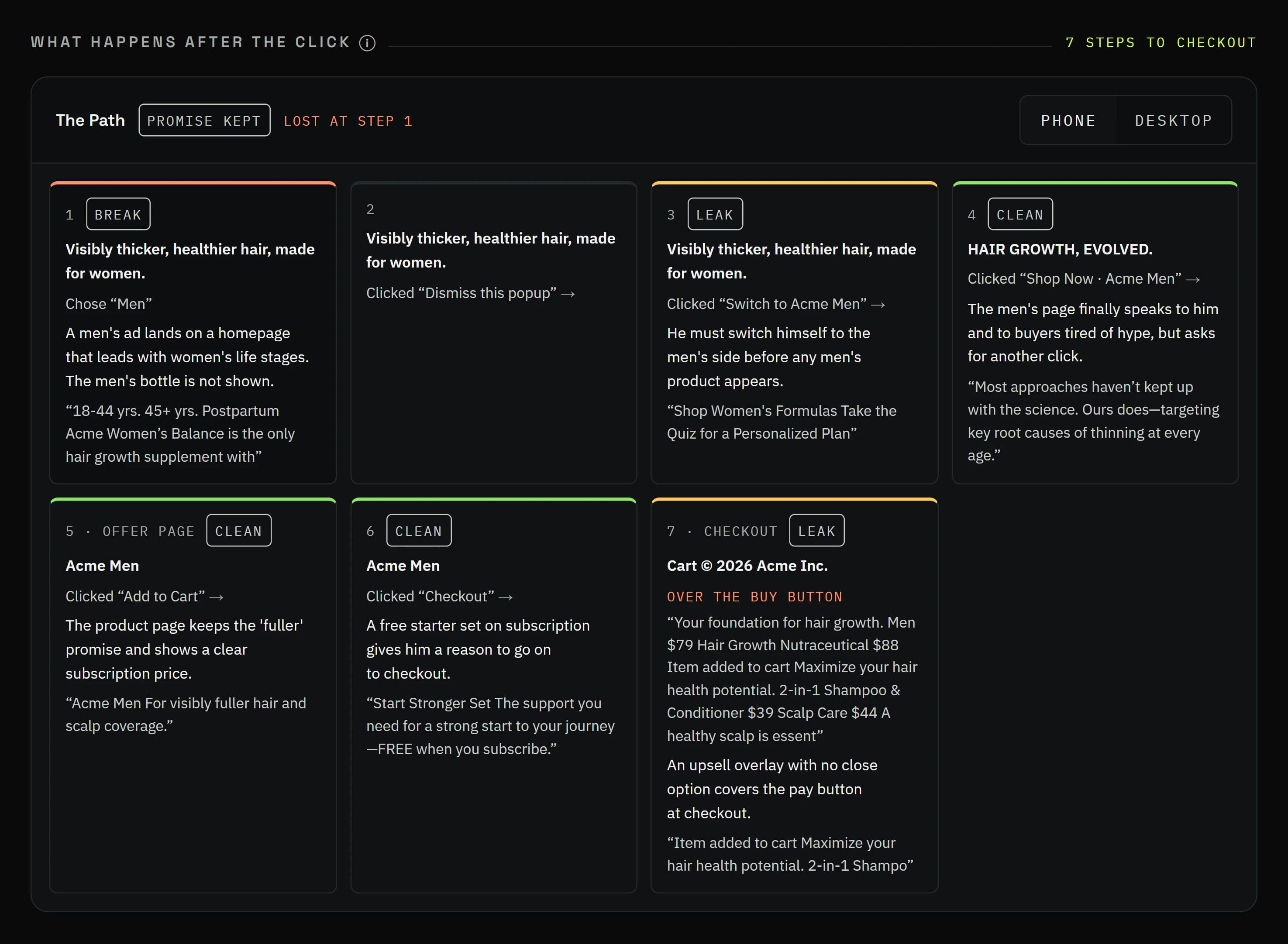
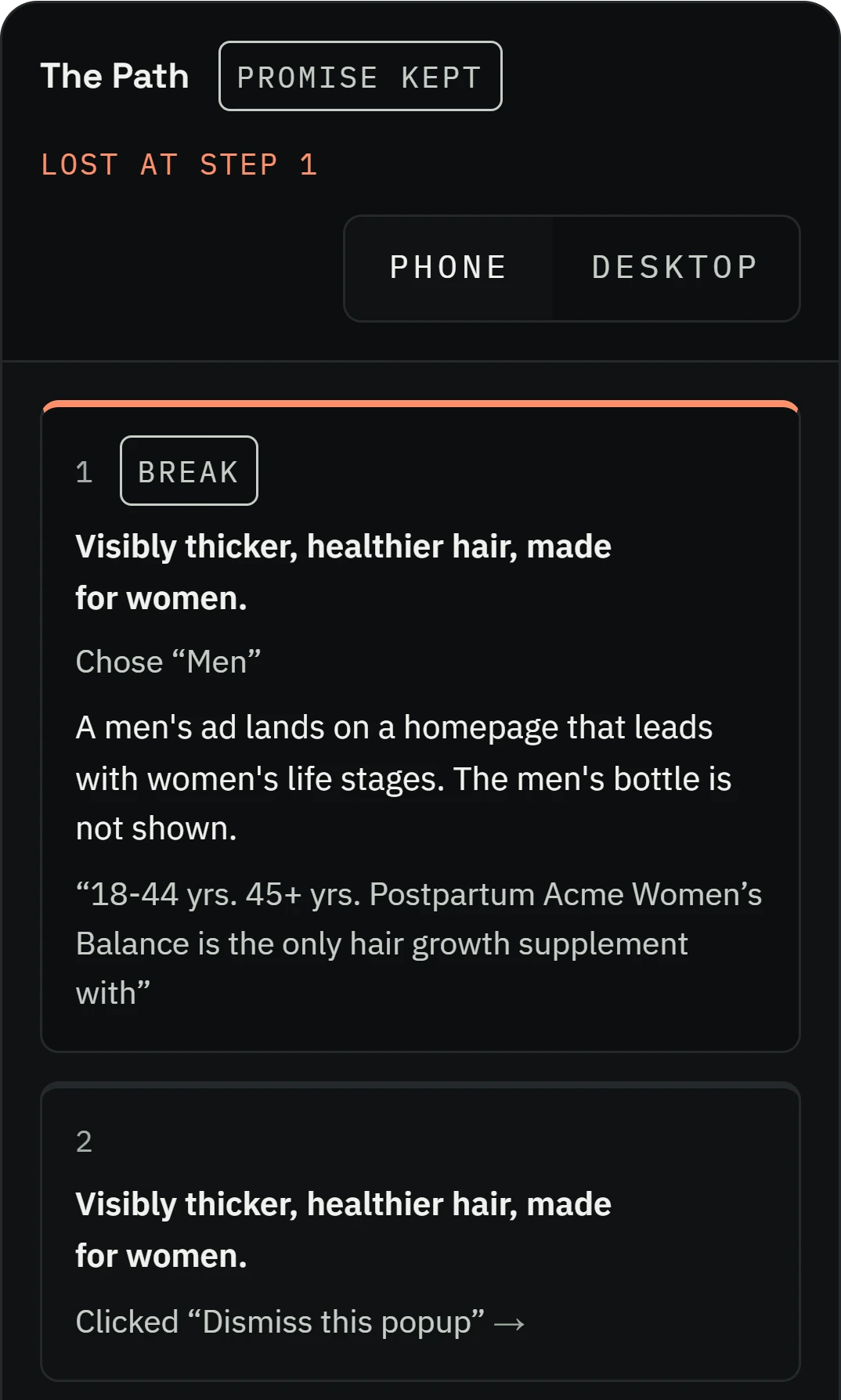
Promise kept or broken, and the step where the buyer is lost.
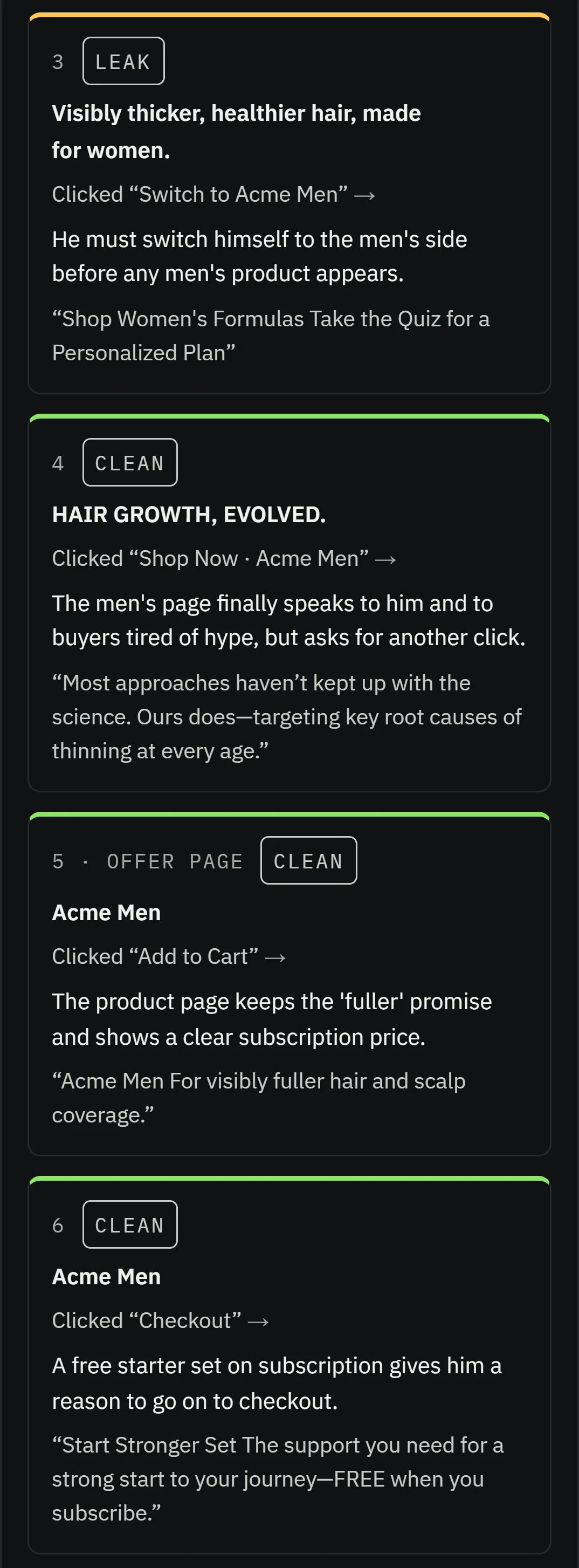
Every step, marked, with what was clicked and the words on the page.
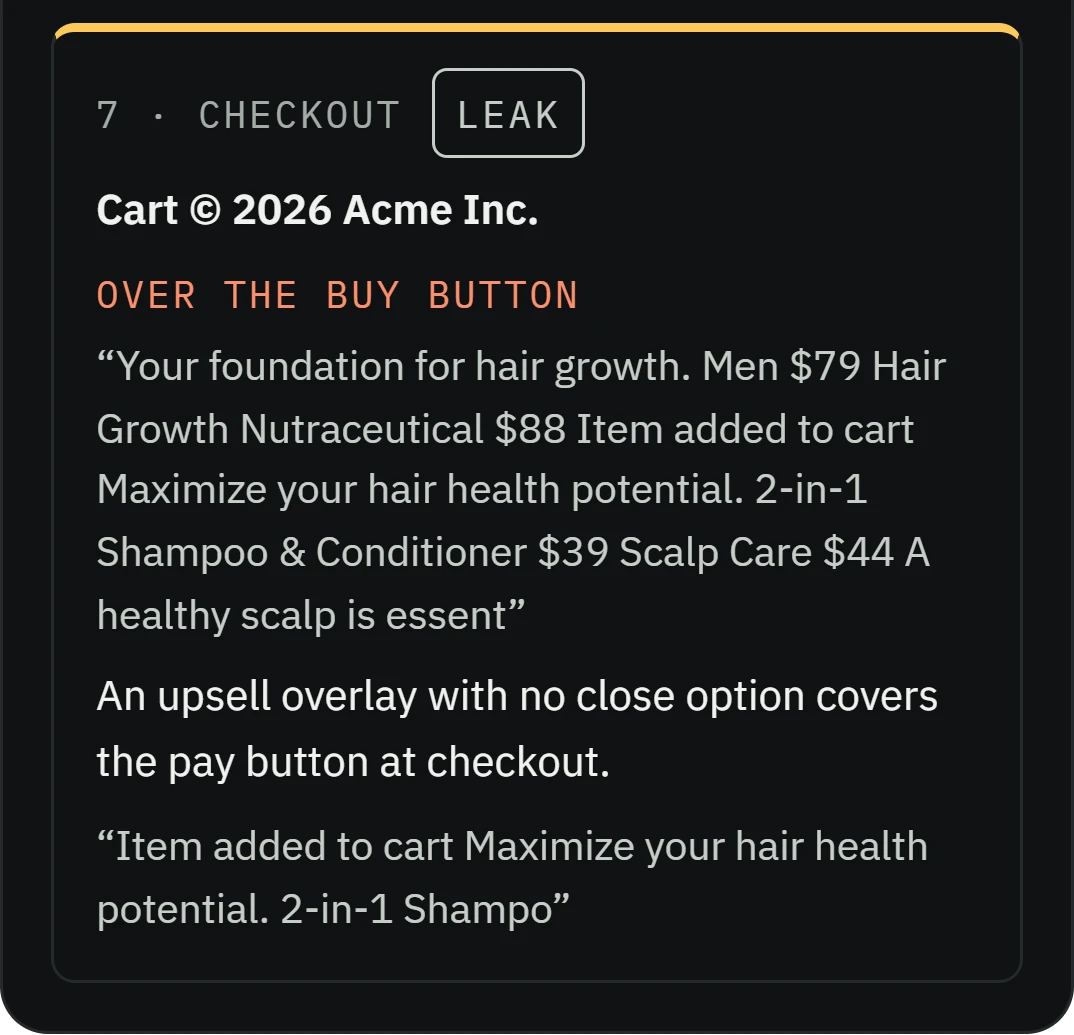
Every pop-up that got in the way, and whether it covered the buy button.
Prefer to do it the old way? Follow these steps.
The old way, by hand
- 01On your phone, click your own ad, the way a buyer would, rather than typing your address.
- 02Take a screenshot at every step: landing page, product, add to cart, cart, checkout.
- 03At each step ask: is the price, offer or discount from the ad still there? Did anything cover the page or the buy button?
- 04At checkout, note every surprise: a shipping cost, a forced account, a missing payment option, a discount code box that sends people off to search for codes.
- 05Do the same on a desktop, then fix the first step where something breaks.

The Toniqe way
Toniqe walks both devices and marks every step in under 15 minutes.
Questions about After the Click.
See the step where your buyers give up.
Free for 7 days or 5 reports. No card needed. · Plans are on the pricing page