Ads vs Page
Your ad made five promises. Your landing page kept two.
Toniqe lists every promise in your ad, in the picture, the text and the voiceover, then checks each one against the page it sends people to.
Free for 7 days or 5 reports.
No card or ad account needed.
People click an ad for one promise. If the page doesn't repeat it, they leave.
A result, a price, a look, a discount. When the page they land on doesn’t show it within a few seconds, they go back, and the ad gets the blame. The gap is easy to miss because the ad and the page each look fine on their own.
It reads your ad the way a buyer does. Then it checks every promise against your page.
Video frames and spoken words included. Each promise gets one of four marks: Match, Weak, Missing or Contradiction, with the page’s own words beside it.
- 01
Your ads.
Up to 5 ads per report: images, video, a Figma design, or a YouTube, Vimeo, Loom or Google Drive link. Agency plans can pull any brand’s live ads from the Meta Ad Library.
- 02
Your page.
A link, a screenshot or a mockup, so you can check a page before it goes live.
- 03
The check.
Every stated and implied promise against the page’s words and pictures, weighed by what buyers in your category care about, plus the friction on the page that gets in a buyer’s way.
What you see in the report.
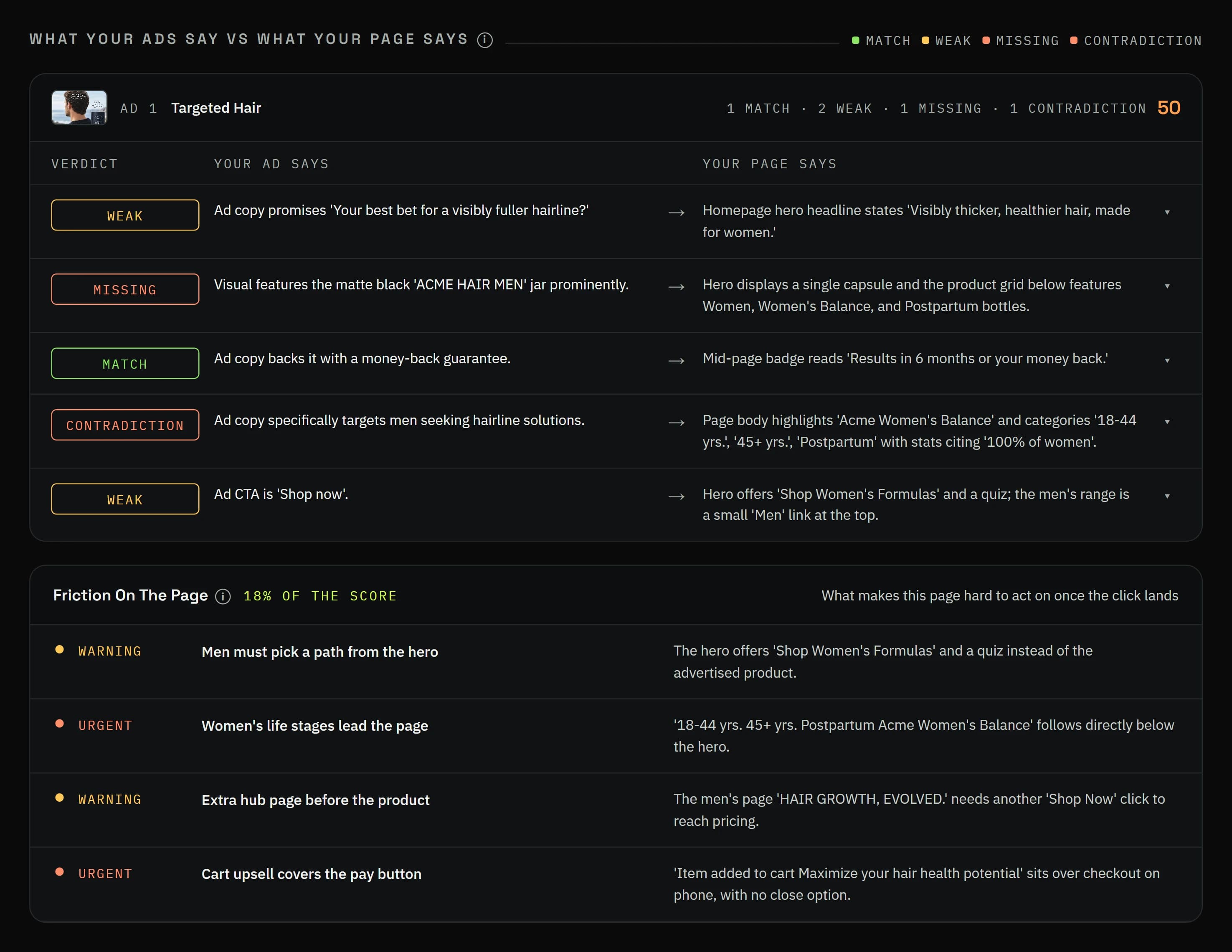
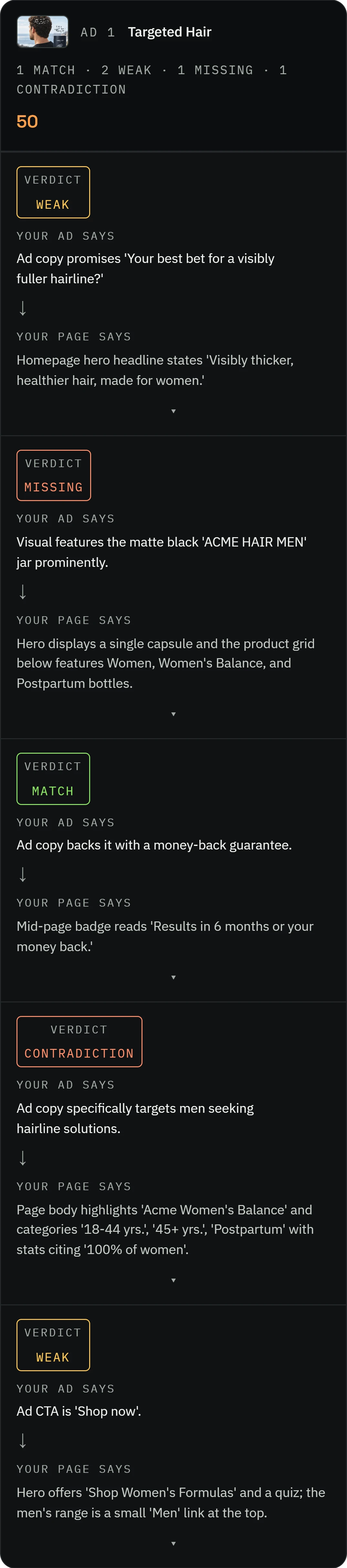
Every claim, marked, with the line or picture on the page that backs it or doesn’t.
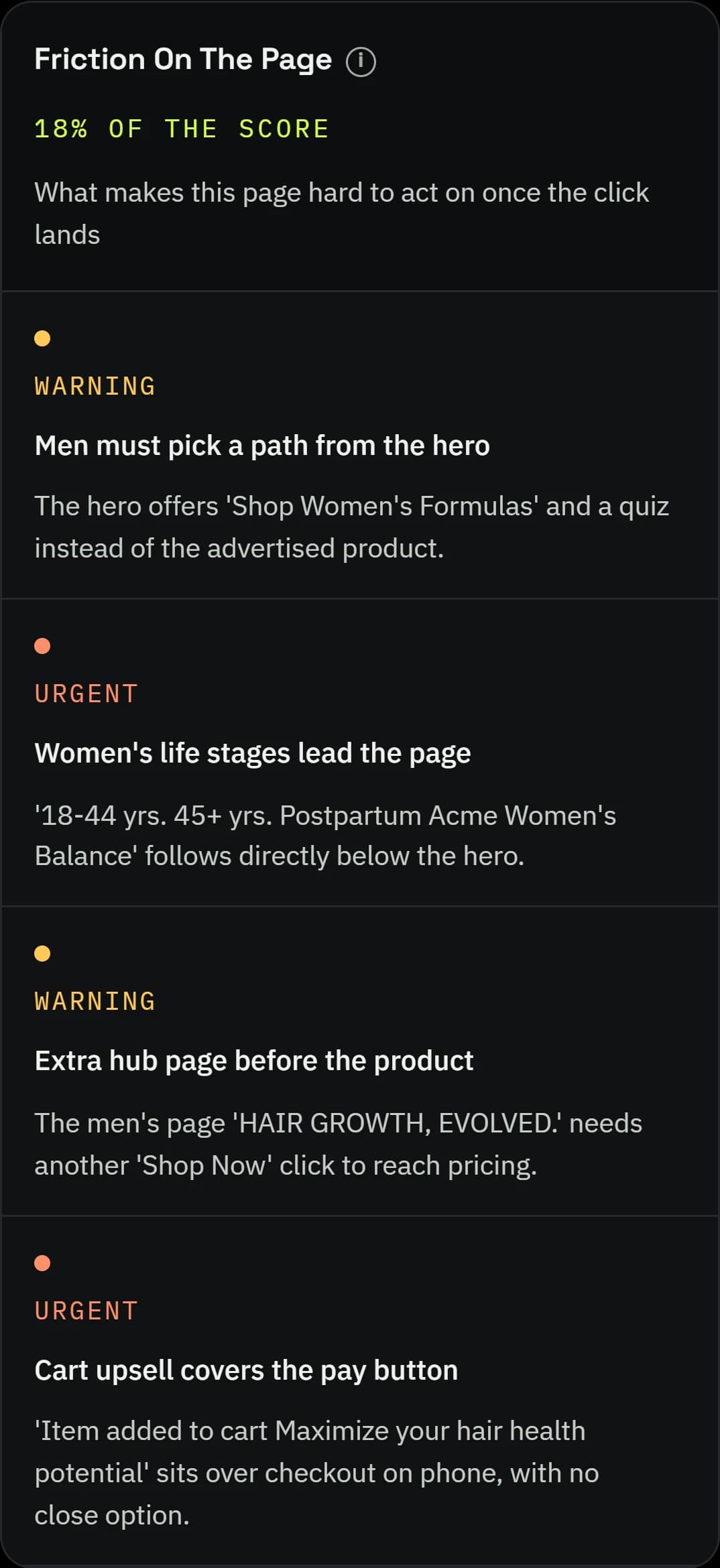
Friction on the page: what slows a buyer down between landing and buying.
Prefer to do it the old way? Follow these steps.
The old way, by hand
- 01Write down every promise in your ad: the headline, the main text, what the picture or video shows, what the voiceover says, and the offer.
- 02Add the implied promises. The person in the picture says who the product is for; a discount in the ad says the discount is waiting on the page.
- 03Open the landing page on your phone and read only the first screen.
- 04Mark each promise: there in the same words, there but weaker, not there, or contradicted.
- 05Fix the first screen first. Its headline, main picture and offer should repeat the ad’s main promise.

The Toniqe way
Toniqe runs this for every ad and every promise in under 15 minutes.
Questions about Ads vs Page.
Find the promise your page forgot.
Free for 7 days or 5 reports. No card needed. · Plans are on the pricing page